Live on the App Store

The anti-planner for getting unstuck

You know what you need to do. You just can't start. SliverUp turns a messy chore, assignment, or life-admin goal into one small action at a time on iPhone and iPad.

No account. No ads. No tracking. Everything stays on your device.
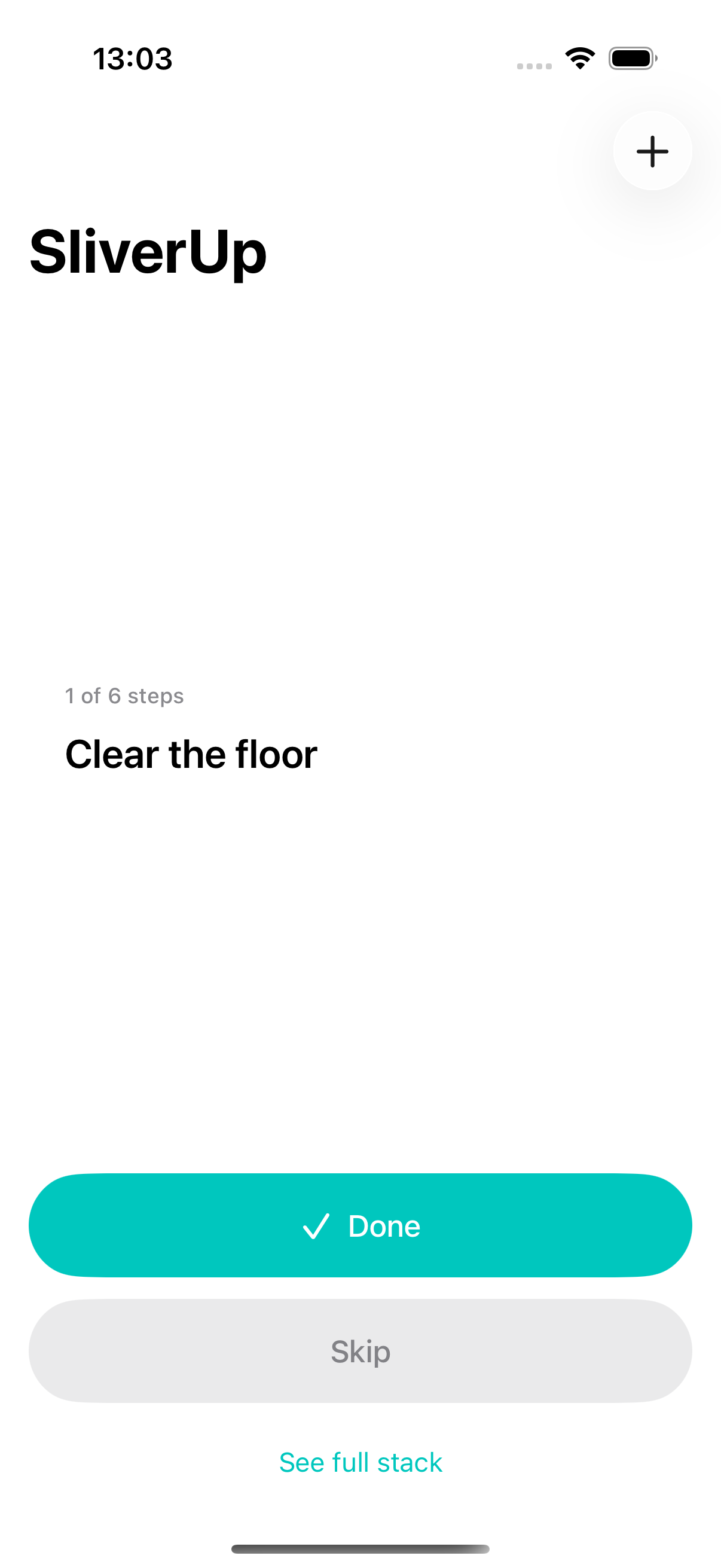
SliverUp showing a single current step, "Clear the floor," with Done and Skip buttons
The loop

Dump it messy. Get one step. Finish it.

No lists to maintain, no boards to groom. SliverUp deliberately shows less than every other productivity app on your device.

1
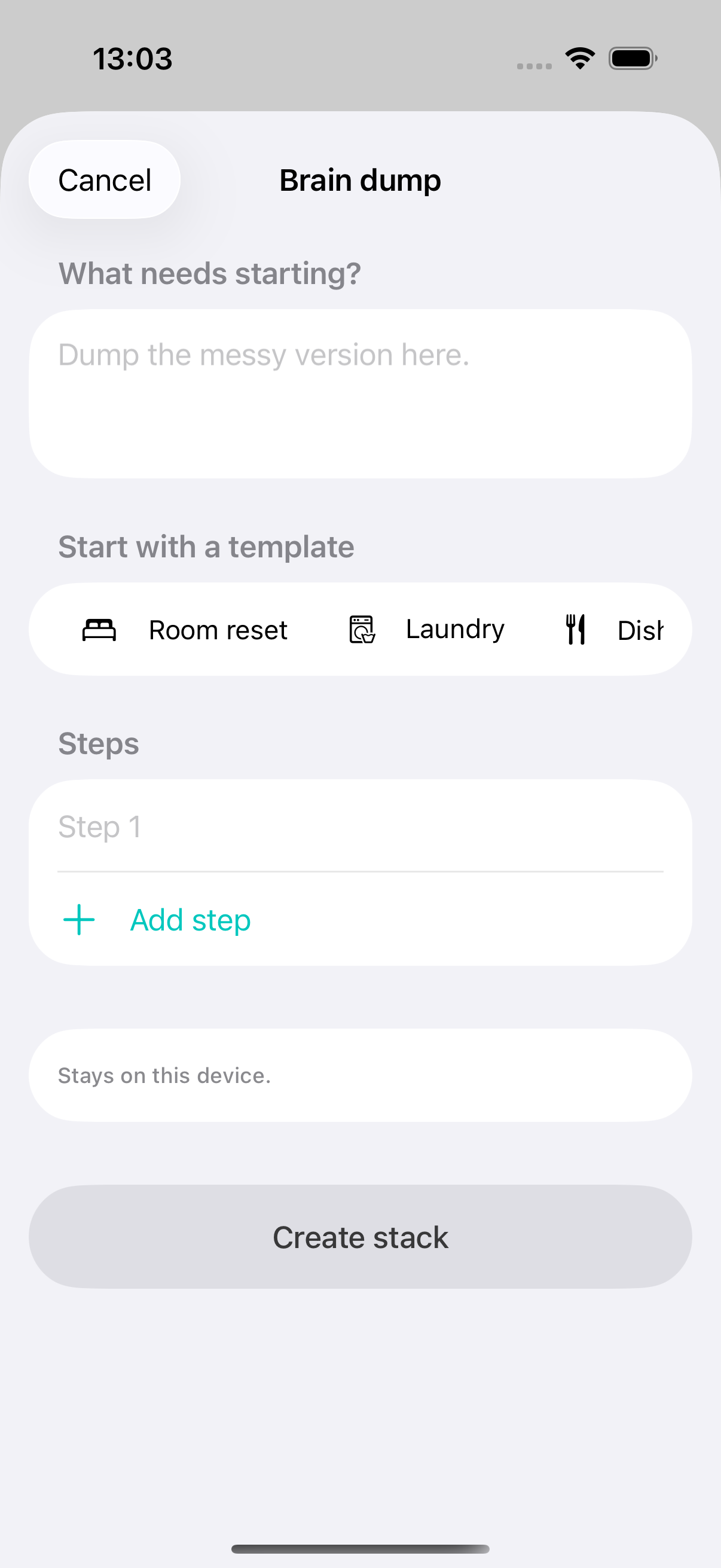
Brain dump screen with a text field and template chips like Room reset and Laundry

Brain dump

Write the messy version of what's stuck, tap a template, or unlock on-device AI to draft steps you can review and refine before saving.

2
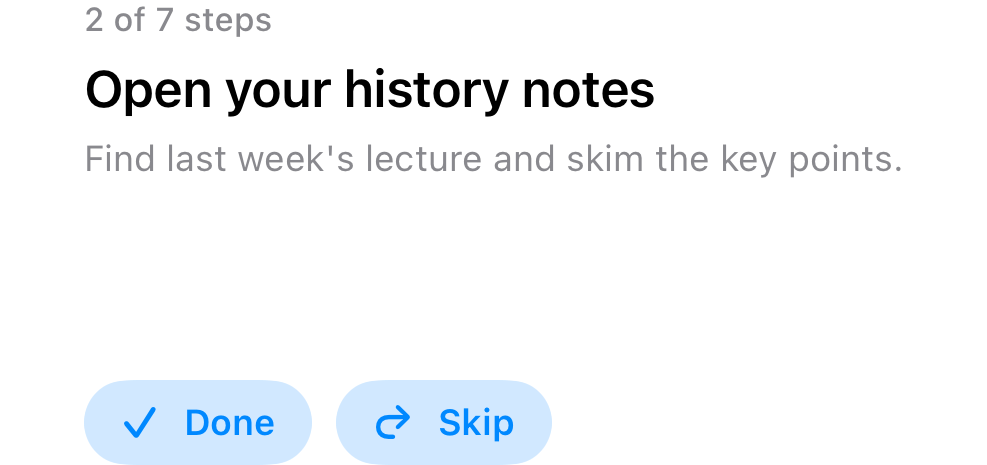
Current step screen showing one microtask with Done and Skip buttons

One step, on screen

Just the next tiny action. The full stack stays one deliberate tap away when you want to review or edit it.

3
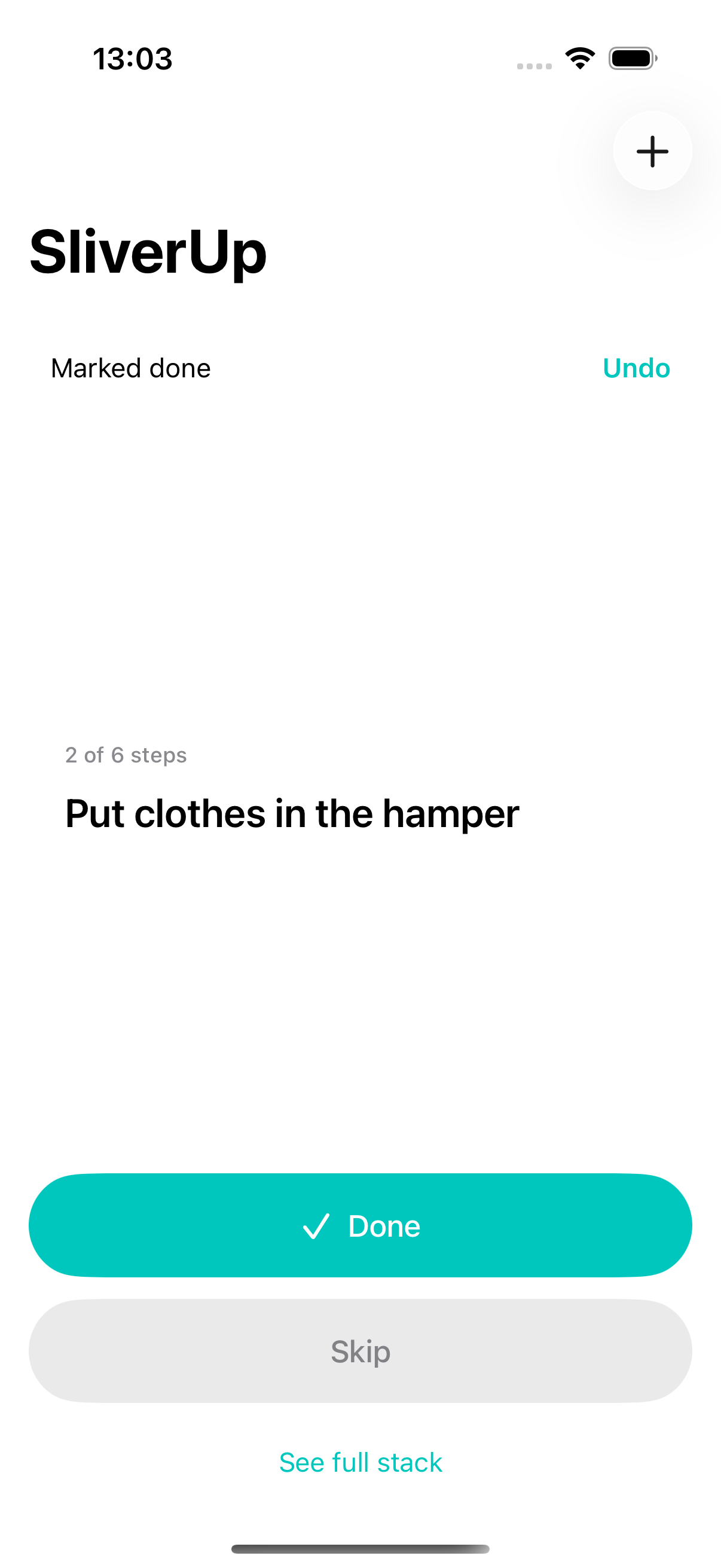
Current step screen after marking a step done, with an Undo banner

Done, with undo

One tap finishes a step and quietly moves you to the next. Tapped by accident? Undo is right there.

iPhone + iPad

The same workflow, shaped for each screen

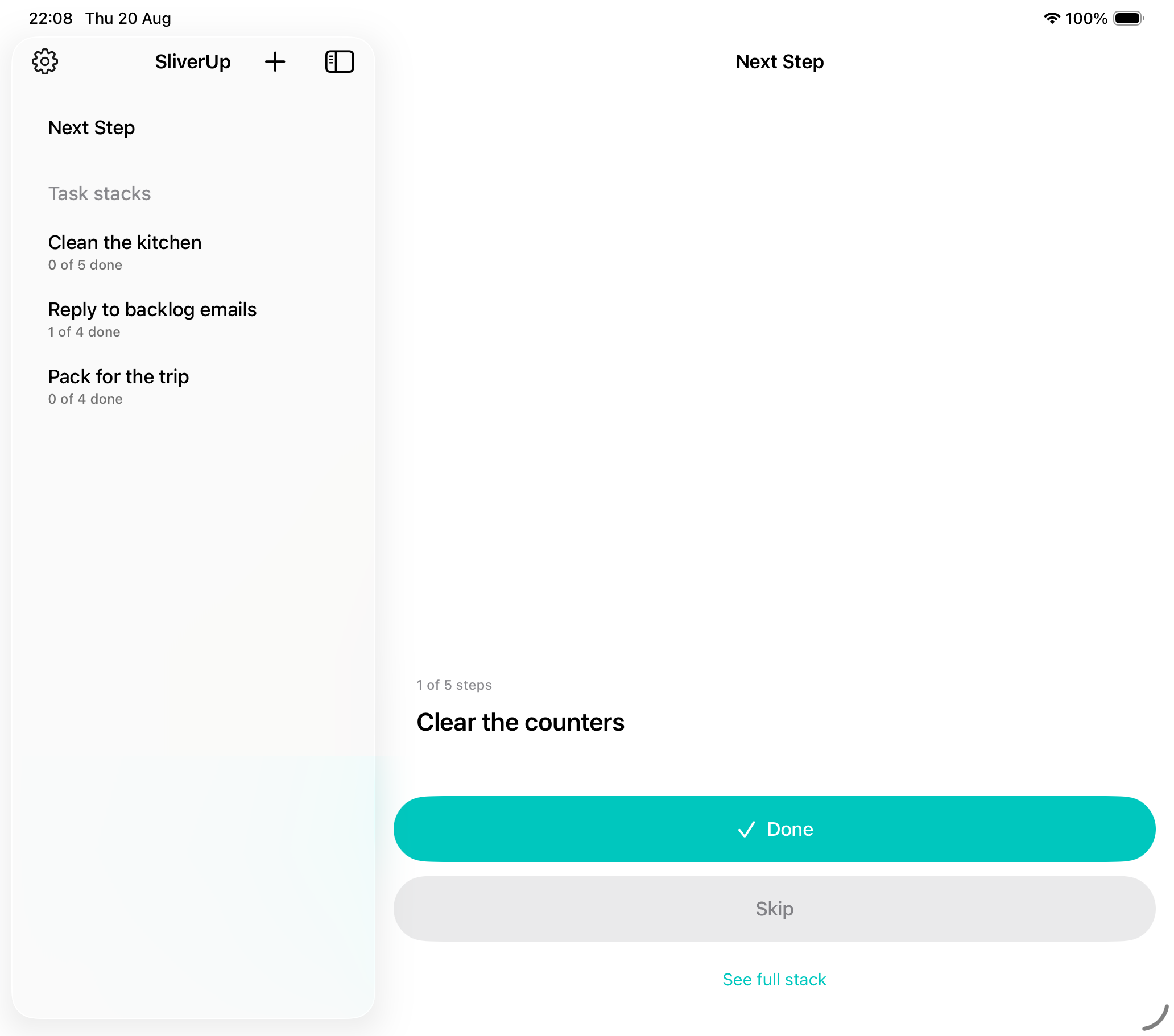
Use the focused one-step view on iPhone, or keep your stack list and current step side by side on iPad.

  • See Active, Coming Up Next, and Archived stacks on every device
  • iPad sidebar keeps stack navigation visible while the detail pane stays focused
  • Open completed or archived stacks to review, edit, or clean up your history
SliverUp on iPad showing stack sections in a sidebar and the selected next step in the detail pane
Widgets

Finish a step without opening the app

Your current step lives on your Home Screen and Lock Screen too, with Done and Skip built right in.

  • Home Screen widget shows the step, a short detail, and your progress
  • Lock Screen widget keeps the next step one glance away
  • Done and Skip update the same local stack instantly
Home Screen widget showing the current step with Done and Skip buttons
Lock Screen widget showing the current step title and progress
Templates

A running start for the usual stuck points

Seven built-in templates turn a common chore into a ready-made stack — no writing required, no purchase required.

🛏️ Room reset 🧺 Laundry 🍽️ Dishes 📚 Homework start 📧 Email cleanup 🧳 Packing 🖥️ Desk reset
On-device AI

Stuck on something a template doesn't cover?

Unlock on-device AI breakdown for a one-time $14.99 — no subscription. It turns any messy goal into 3 to 10 tiny, concrete steps, then lets you review, edit, and ask for refinements before saving.

Generated on device

Apple's on-device Foundation Models turn your messy goal into clear, verb-first steps — nothing leaves your device.

Review before saving

Edit the AI draft, delete steps you don't want, or ask SliverUp to make the plan smaller, clearer, or more specific.

One unlock, not a subscription

Pay once. Brain dump, templates, stack review, archive browsing, and widgets remain free to use without AI.

Privacy

Local-first, on purpose

SliverUp doesn't need to know who you are to help you start a task. For help, email anarahari@gmail.com.

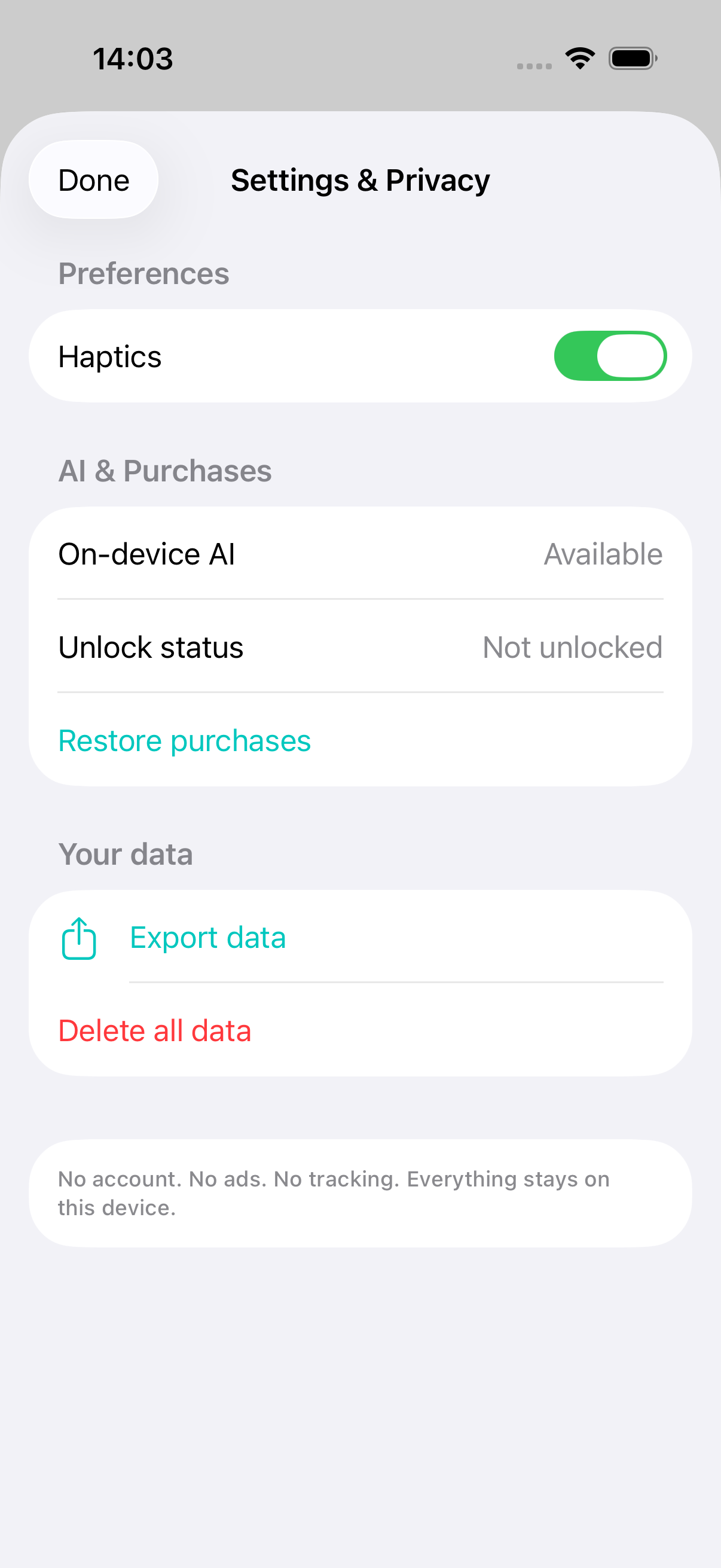
Settings and Privacy screen showing haptics toggle, on-device AI availability, unlock status, restore purchases, export data, and delete all data

No account

Open the app and start. There's no sign-up screen, ever.

No ads or tracking

No third-party analytics, no ad SDKs. Nothing about your task text leaves your device.

On your device

Task stacks are stored locally. Export or delete everything, any time, from Settings.

Why it's narrow, on purpose

A quieter task flow for the moment you need a clear next move.

SliverUp is built for anyone who wants to turn a messy task into the next small action, not another planner, dashboard, or streak to maintain.

SliverUp

One step on screen. Active, upcoming, and archived stacks stay available when you need them. No punitive streaks.

Most task apps

The whole backlog is visible by default — which can make starting feel harder, not easier.

Live now

Built for iPhone and iPad. On the App Store today.

Free to download, free to use with templates, stack review, archive browsing, and widgets. No account, no sign-up — just install it and start.

Download on the App Store